
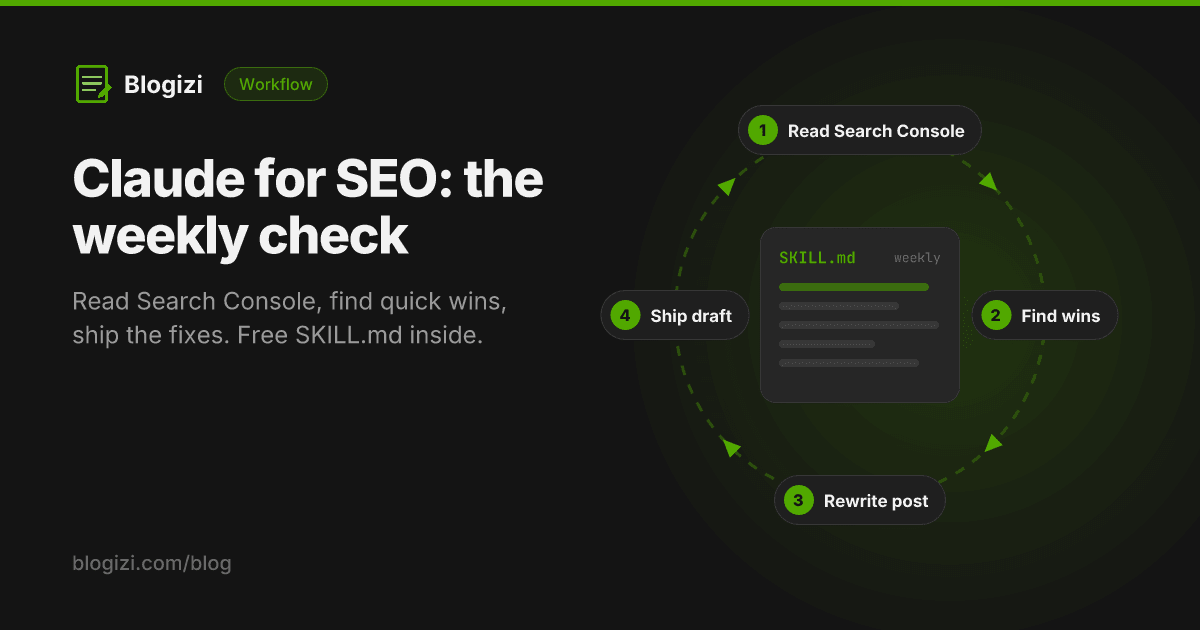
Claude is good at SEO work when it has your real Search Console data and a fixed routine. Without data, it guesses at keywords and writes generic "best practices". With clicks, impressions, CTR and position for your own pages, it can tell you which three posts to fix this week and draft the fixes.
This post covers a weekly routine that takes about 20 minutes of your time, the four checks Claude runs, and a SKILL.md you can drop into Claude Code or Claude Cowork so the routine runs the same way every week.
What you need
- Claude with tools: Claude Code, Claude Cowork, or Claude Desktop with MCP servers.
- Search Console data over MCP. Any Google Search Console MCP server works. If your blog is on Blogizi, the same MCP server that publishes posts has a
get_search_performancetool, so Claude can read the data and save the rewrite as a draft in one session. - Your posts as markdown files, or a blog Claude can update through a tool. Claude can suggest fixes without this, but it can't ship them.
The weekly routine
Once a week, ask Claude to pull the last 28 days and run four checks. Each one looks for a different kind of fix.
Check 1: High impressions, low CTR → rewrite the title and description
If a page shows up often but rarely gets clicked, the search result isn't convincing. Usually the title doesn't match the words people searched for, or the meta description is generic.
Rule of thumb: more than 200 impressions in 28 days and a CTR well below the rest of your pages at a similar position. Position matters: 1% CTR at position 25 is normal, but 1% at position 4 is a problem.
What Claude does: looks at the top query for that page, rewrites the title so it leads with that query's wording, and writes a meta description under 160 characters that says what the reader gets.
This is how to improve CTR without touching rankings at all. It's the fastest win in the routine.
Check 2: Positions 8–20 → strengthen the page
Queries where you rank between 8 and 20 are close to page one. Google already thinks the page is relevant. It needs to be more complete, or better connected to the rest of the site.
What Claude does: for each query, finds the page that ranks, compares it with what the query asks, and suggests the missing section. It also lists two or three existing posts that should link to it, with anchor text.
Check 3: Queries with no matching page → write a brief
Search Console often shows queries where Google is testing a page that only half fits, such as the homepage or a loosely related post. That's a sign of demand you don't serve yet.
What Claude does: groups those queries by intent and drafts a short brief for a new post, or recommends adding a section to an existing one if the intent is close enough.
Check 4: Falling pages → content decay
A page that earned steady clicks and is now losing them is decaying. Usually a competitor published something fresher, or the information went out of date.
What Claude does: compares clicks per day for the last 7 days against the 28- and 90-day averages. If a page's recent rate is clearly lower, it flags it and checks the post for outdated facts, dates and screenshots.
About cannibalization: if two of your pages compete for the same query, both usually rank worse. Spotting that properly needs query-by-page data, which most lightweight tools (including Blogizi's) don't return. Claude can flag likely cases when two pages target overlapping topics, but confirm them in Search Console before merging posts.
The prompt
If you just want to try it, paste this into Claude with a Search Console tool connected:
Get my Search Console performance for the last 28 days, and also for 7 and 90 days. Then:
- List pages with over 200 impressions and a CTR well below others at a similar position. Suggest a new title and meta description for each, based on its top query.
- List queries where we rank 8–20. For each, name the page that should rank, the missing section, and two internal links to add.
- List queries that don't have a clearly matching page. Group them and suggest new posts or sections.
- Flag pages whose clicks per day in the last 7 days are well below their 28- and 90-day rate. Show the numbers you used for every recommendation. Pick the three changes with the most impact and draft them.
The skill: run it the same way every week
A prompt works once. A skill makes the routine repeatable: Claude loads it whenever you say "run the weekly SEO check", follows the same steps, and uses the same thresholds.
Save this as .claude/skills/weekly-seo-check/SKILL.md in your project (Claude Code), or add it as a skill in Claude Cowork:
---
name: weekly-seo-check
description: Weekly SEO review of the blog using Google Search Console data. Use when the user asks for an SEO check, a content refresh plan, low-CTR pages, striking-distance keywords, or what to fix on the blog this week.
---

# Weekly SEO check

## Data
1. Call the Search Console tool for 28 days. Also call it for 7 and 90 days.
   - Blogizi: `get_search_performance` with `days` 7, 28, 90.
2. Note `lastSyncedAt` and the date range. Google data lags 2–3 days; never treat the last 3 days as a drop.
3. Treat `ctr` as a fraction (0.012 = 1.2%).

## Checks
Run all four. Show the numbers behind every finding.

1. **Low CTR.** Pages with >200 impressions (28d) whose CTR is clearly below pages at a similar position.
   Output: current title, top query, proposed title (≤60 chars, leads with the query wording), proposed meta description (≤155 chars).
2. **Striking distance.** Queries with average position 8–20.
   Output: query, ranking page, missing section (H2 + 2–3 bullet outline), 2–3 internal links to add (source post + anchor text).
3. **Unserved queries.** Queries whose ranking page is the homepage or an off-topic post.
   Output: grouped by intent; for each group, "new post" or "add section to <post>", with a working title.
4. **Decay.** Pages where clicks/day over 7d is less than 60% of the 28d and 90d rates.
   Output: page, the three rates, likely cause after reading the post (outdated facts, dates, missing topics).

Do not claim cannibalization from page-level and query-level lists alone. Mark it "possible, confirm in Search Console".

## Ship
1. Rank all findings by expected impact. Pick the top 3.
2. For each, edit the post's markdown file (title, description, new section, links).
3. Save as drafts. Blogizi: `update_post` with `status: "draft"`, or `blogizi update <file>` from the CLI.
4. Never publish without the user's confirmation.

## Report
End with a short table: change, page, reason (with numbers), status (drafted / needs input).
Save the report to `seo/weekly/YYYY-MM-DD.md` if the repo has an `seo/` folder.
Then each week:
Run the weekly SEO check.
Want this running on your blog today? On Blogizi, Claude reads your Search Console data and saves its fixes as drafts through one MCP server, so the skill above works without extra setup. Start a 7-day trial and run your first check →
Why this works better than generic "Claude SEO" prompts
Most Claude SEO skills and prompts floating around GitHub and Reddit work from a keyword or a URL: they audit a page against a checklist or generate an outline from what's on page one. That's useful, but it doesn't know which of your pages Google is already testing.
Search Console data changes the question from "what should I write about?" to "what's already almost working?". Fixing a title on a page with 400 impressions at position 9 pays off faster than writing a new post from zero. Claude handles the boring part: reading every row, applying the same thresholds every week, and drafting the edits.
Running it with Blogizi
If your blog is on Blogizi, the whole loop happens on one MCP server:
- Connect Google Search Console in the dashboard (read-only, one click) and bind your blog's property.
- Add the Blogizi MCP server to Claude:
https://blogizi.com/api/mcpwith your account API key. - Ask Claude to run the weekly SEO check. It reads
get_search_performance, edits the posts, and saves them withupdate_postas drafts. - Review the drafts in the dashboard and publish.
Setup details are in the Search Console docs and the get_search_performance reference.
FAQ
Can Claude do SEO on its own? It can do most of the analysis and writing. What it can't do is know your data without a tool, or judge whether a rewrite fits your audience. Keep a human review before anything goes live.
Do I need Claude Code, or does the regular Claude app work? Any Claude surface with MCP tools works. Claude Code and Cowork are the easiest for the full loop because they can edit files and run commands too.
What's the best Claude SEO skill? The one that runs on your own data. Skills that audit a URL against a checklist are fine for technical SEO. For content, a skill built on Search Console data, like the one above, finds fixes that move traffic.
How long until changes show up in Search Console? Title and description changes can show within days, once Google recrawls the page. Ranking changes from new sections and links usually take two to six weeks. Re-run the check weekly and compare.